Most apps that fail don’t fail because of bad code. They fail because of decisions made before anyone wrote a line of it: an idea nobody tested, a scope that kept growing, a budget that forgot about maintenance. This guide covers the 10 app development challenges to solve before you build, and how to handle each one.
If you’re still sizing your budget, read our guide to how much it costs to create an app in 2026 alongside this one.
The biggest app development challenges to solve before you build are:
- Validating that people want the app
- Defining a focused MVP scope
- Setting a realistic budget, including maintenance
- Estimating a realistic timeline
- Choosing the right development team
- Picking native, cross-platform or a web app
- Deciding between no-code or AI builders and custom development
- Planning security, privacy and app store compliance
- Choosing a development process
- Planning for post-launch maintenance
Settle these in a discovery phase before development starts. Discovery and planning usually take 10–15% of an app budget, and they prevent the most expensive rework later.
1. Validating the Idea Before You Pay for Code
The first challenge is building something people won’t use. Founders are close to their idea, so they tend to assume demand instead of testing it.
How to solve it:
- Talk to 10–15 people in your target audience before you write a spec. Ask how they solve the problem today.
- Read competitors’ app store reviews. Repeated complaints are features you can win on.
- Build a clickable prototype and watch real users try it before any development starts.
- Pick one success metric for launch, such as weekly active users or completed bookings.
If your budget is tight, our guide on what kind of app a small business can afford to build helps you match the idea to a realistic first version.
2. Defining Scope and the MVP
Feature creep is the most common reason app projects run over budget. Every extra feature adds design, development, testing and years of maintenance.
How to solve it:
- List every feature, then sort each one into must have, later or never.
- Define your MVP as the smallest version that proves the core value to users. A basic MVP typically costs $10,000–$30,000.
- Write user stories with acceptance criteria, so the team knows when a feature is done.
- Freeze scope for the first release. New ideas go to a backlog, not into the current sprint.
3. Setting a Realistic Budget
The budget challenge isn’t only the build price. It’s forgetting discovery, testing and the yearly cost of keeping the app running.
| App Complexity | Typical Build Cost (2026) |
|---|---|
| Simple Utility App or MVP | $10,000–$50,000 |
| Mid-Complexity Business or Consumer App | $50,000–$150,000 |
| Complex, Multi-Platform Product | $150,000–$500,000+ |
A healthy budget usually splits into discovery and planning (10–15%), design (15–20%), development (50–60%) and testing (10–15%). On top of the build, plan 15–20% of the build cost every year for maintenance. For a $100,000 app, that’s $15,000–$20,000 a year.
For the full breakdown by platform, region and app type, see our complete app development cost guide. If you’re comparing freelancers and agencies, check how much it costs to hire an app developer. For a quick number for your own project, estimate your app development cost with our free calculator.
4. Estimating a Realistic Timeline
Many launch dates get set before the scope is known. Then the team cuts testing to hit the date, and bugs ship to users.
How to solve it:
- Build the timeline from the scope, phase by phase: discovery, design, development sprints, testing and app store review.
- Add a buffer for app store review. A rejection can push a launch back while you fix and resubmit.
- Check platform deadlines that land inside your project window (see challenge 8).
- Tie the launch date to a business event only after discovery, not before.
5. Choosing the Right Development Team
The team decides whether your app works for your business, not only whether the code runs. Customer-facing apps need designers who care about user experience as much as developers care about features. Internal employee apps can be simpler, because people have to use them anyway.
Your main options are freelancers, an in-house team or an agency. Freelancers in the US and Western Europe typically charge $50–$150 an hour, and developers in Eastern Europe and Latin America $25–$80. Offshore teams often cost 40–60% of a local US agency, with more management on your side.
What to check before you sign:
- Mobile-specific work in their portfolio, not just websites
- A designer and a project manager on the team, not only developers
- How they handle change requests and post-launch support
- References from clients with apps still live in the stores
Our 7-step guide to hiring a mobile app development company walks through the full process, and how to evaluate an app development company’s portfolio shows what good work looks like. Ready to talk to a team? Hire a mobile app development company that scopes, designs, builds and supports your app in one place.
6. Native vs. Cross-Platform vs. Web App: Picking the Platform
This choice affects cost, speed and what your app can do for years. The challenge is choosing on price alone, without checking what your users and features actually need.
| Development Approach | Best For | Typical Cost | Trade-Off |
|---|---|---|---|
| Native iOS or Android (Swift, Kotlin) | Banking, high-performance apps, heavy use of camera, GPS or sensors | $40,000–$300,000+ per platform | Two codebases if you need both stores |
| Cross-Platform (Flutter, React Native) | Most business and consumer apps on both stores | $30,000–$200,000 | Some platform-specific features still need native code |
| Progressive Web App (PWA) | Content apps, internal tools, testing an idea without the app stores | $10,000–$50,000 | Limited device access and app store presence |
Cross-platform development can cut costs by 30–40% compared with building two separate native apps, so it’s the first option to consider when you need both stores. Older webview-based hybrid apps are a different thing; our guide to hybrid app development explains the difference, and the beginner’s guide to mobile app development frameworks compares Flutter, React Native and native tools.
Once you’ve chosen, look for a team with proven work on that platform: cross-platform app development services for one app on both stores, iOS app development services for a native iPhone and iPad app, or an Android app development company for Play Store apps. Building a browser-based product instead? See our SaaS MVP development service.
7. No-Code or AI App Builders vs. Custom Development
No-code platforms and AI app builders make a first version cheap and fast. Subscriptions run about $0–$500 a month, and a working MVP usually takes 100–400+ hours of your own time, for a total cash cost of roughly $1,000–$10,000.
The challenge is knowing when that stops working. Watch for these limits:
- Scaling: performance and pricing can change sharply as users grow.
- Custom features and integrations: anything the platform doesn’t support becomes a workaround.
- Lock-in: moving off the platform often means rebuilding from scratch.
- AI-generated code: it can work in a demo and still have security gaps or code nobody on your team understands. Have an experienced developer review it before real users and data touch it.
A good rule: use no-code to test the idea, and plan custom development once you’ve proven demand. If AI is part of the product itself (chat, recommendations, document processing), work with a team that does AI-powered mobile app development rather than bolting it on later.
8. Security, Privacy and App Store Compliance
App stores now block submissions that don’t meet privacy and platform rules, so compliance has become a planning task rather than a launch-day task.
Two rules to plan around in 2026:
- Apple App Store: since spring 2024, new apps and updates must include privacy manifests for commonly used third-party SDKs, and an approved reason for each “required reason” API the app uses, including inside SDKs.
- Google Play: from August 31, 2026, new apps and app updates must target Android 16 (API level 36) or higher. Developers can request an extension to November 1, 2026.
How to solve it:
- Audit every third-party SDK before adding it: what data it collects and whether it ships a privacy manifest.
- Decide early what personal data you collect, where it’s stored and how it’s encrypted.
- Plan login, permissions and user consent flows during design, not after development.
- If you handle health data, build for compliance from day one. Our HIPAA-compliant software development team and healthcare app development company services cover this.
9. Choosing a Development Process
Most apps change after launch based on what users actually do, so a rigid plan-everything-first process usually slows you down. Most mobile teams work in short agile sprints with regular demos, which lets you adjust priorities as you learn.
Questions to agree on before development starts:
- How long is a sprint, and how often will you see a working build?
- Who owns the backlog and decides priorities?
- How are change requests priced and approved?
- Is the contract fixed price or time and materials? Fixed price suits a tightly scoped MVP. Time and materials suits a product that will keep evolving.
Our guide to the mobile app development process walks through each stage from idea to launch.
10. Planning for Post-Launch Maintenance
An app is never finished. iOS and Android release new versions every year, app store rules change, and users report bugs from day one.
Plan for:
- OS and device updates, plus yearly platform requirements such as Google Play’s target API level
- Bug fixes, crash monitoring and security patches
- Server, hosting and third-party service costs
- Small feature updates based on user feedback
Budget 15–20% of the build cost per year, and decide before launch who owns maintenance: your team, the original agency or a support retainer. Our breakdown of how much it costs to maintain an app in 2026 covers every cost line.
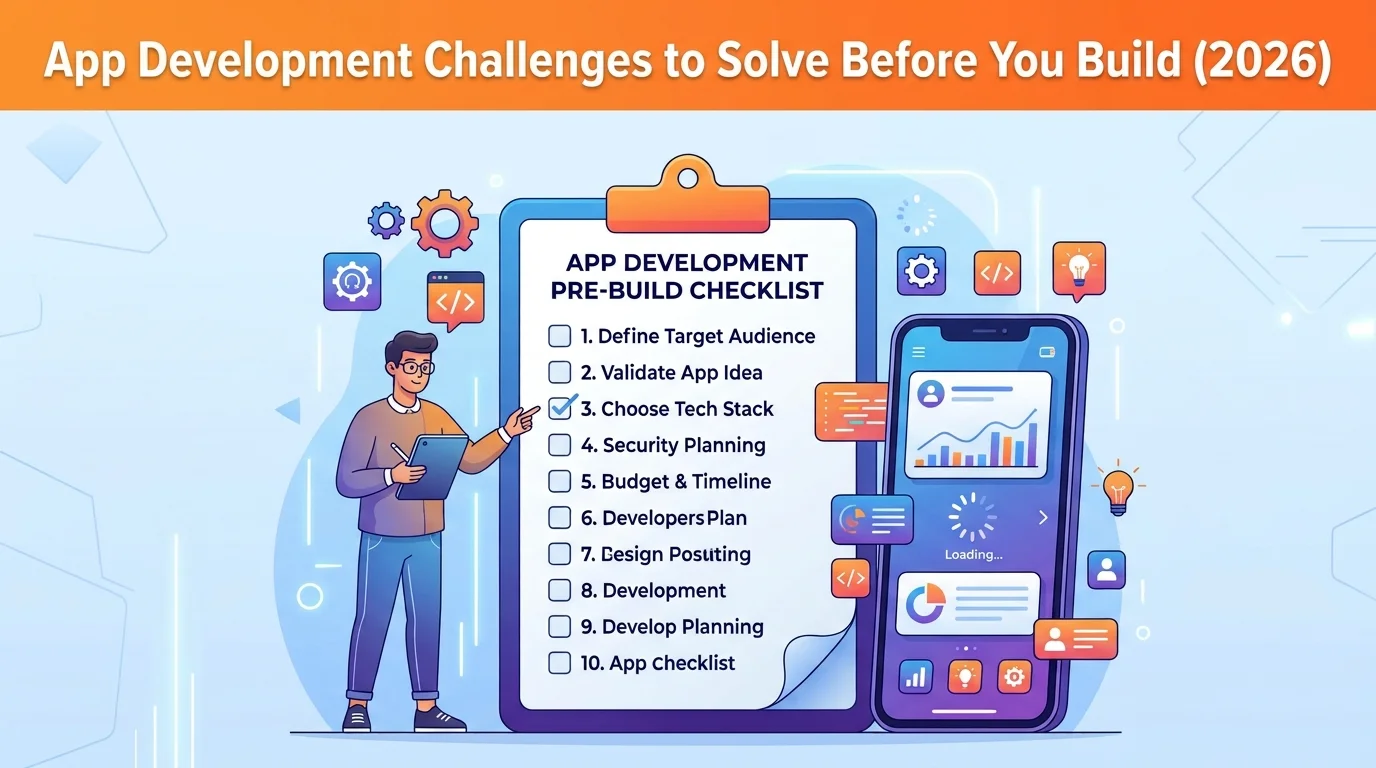
Pre-Development Checklist: 10 Decisions to Make Before You Build
Use this checklist before you sign a development contract. If you can’t answer a row, that’s the next thing to work on.
| # | Decision | Question to Answer | Done When |
|---|---|---|---|
| 1 | Idea Validation | Do real users want this? | 10–15 user interviews and a tested prototype |
| 2 | MVP Scope | What’s the smallest version that proves value? | Must-have feature list is frozen |
| 3 | Budget | What will the build and year one cost? | Build budget plus 15–20% a year for maintenance |
| 4 | Timeline | When can it realistically launch? | Phase-by-phase plan with an app store review buffer |
| 5 | Team | Who builds, designs and manages it? | Team chosen after portfolio and reference checks |
| 6 | Platform | Native, cross-platform or web app? | Choice matches your features and users, not only price |
| 7 | Build Method | No-code, AI builder or custom code? | You know when you’d move to custom code |
| 8 | Compliance | What data, SDKs and store rules apply? | SDK audit done, data and consent plan written |
| 9 | Process | How will work be planned and changed? | Sprint length, demos and change process agreed |
| 10 | Maintenance | Who keeps the app running after launch? | Owner and yearly budget assigned |
What This Looks Like in a Real Project
Case study: Two Sense (smart home and IoT)
Two Sense’s Chatterbox hub uses the HVACSenseAI engine to stream live performance, efficiency and energy data from a home’s HVAC system. Before the project, that system was invisible to homeowners, and service calls relied on guesswork.
The upfront work was defining scope across the whole system, not just one app. Its On Media planned the hub experience, the AI engine, the homeowner app and the technician view as one connected ecosystem with four connected product surfaces. The homeowner app now shows live diagnostics and sends predictive alerts, such as a failing part or a dirty filter, before they cause a breakdown. The result: service calls dropped 25%.
Read the full Two Sense case study.
Get These Decisions Right Before You Build
The biggest risks in app development aren’t bugs. They’re decisions made in the first few weeks: what to build, for whom, on which platform, with which team and on what budget. Get those right and development becomes the predictable part.
Its On Media helps founders and businesses work through these decisions in a short discovery phase, then design, build and support the app. Get a free app development estimate, explore our mobile app development services, or see apps we’ve built.
Frequently Asked Questions
What is the biggest challenge in app development?
The biggest challenge is defining the right scope before development starts. Many budget overruns and delays come from unclear requirements and features added mid-build, not from technical problems. A short discovery phase with a frozen MVP feature list prevents most of them.
What should I decide before developing an app?
Decide who the app is for and whether they want it, the MVP feature list, your budget including yearly maintenance, the platform (native, cross-platform or web), the development team, your data and privacy plan, and who will maintain the app after launch.
How much should I budget for an app in 2026?
A simple app or MVP typically costs $10,000–$50,000, a mid-complexity app $50,000–$150,000, and a complex multi-platform product $150,000–$500,000 or more. Add 15–20% of the build cost each year for maintenance.
Is cross-platform better than native in 2026?
For most business and consumer apps that need both the App Store and Google Play, cross-platform frameworks like Flutter and React Native cost 30–40% less than two native apps. Native is still the better choice for high-performance apps or apps that rely heavily on device hardware.
What app store rules affect new apps in 2026?
On Google Play, new apps and updates must target Android 16 (API level 36) or higher from August 31, 2026, with an extension available to November 1, 2026. On the Apple App Store, submissions need privacy manifests for commonly used third-party SDKs and approved reasons for required reason APIs.